01
Map visible navigation by purpose
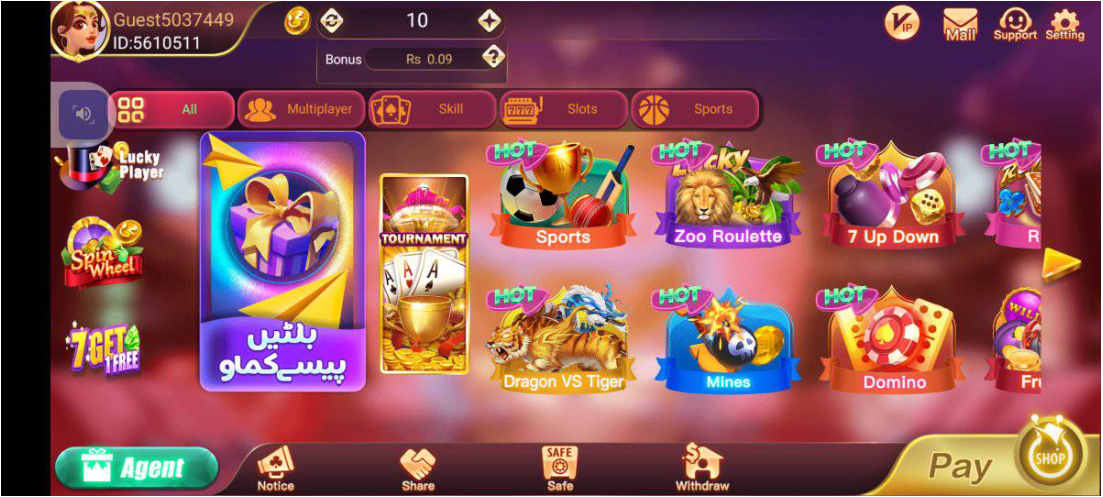
The reference screen groups content under labels such as All, Multiplayer, Skill, Slots and Sports. Other visible controls relate to notices, sharing, account storage, transactions, support and settings. Read the current labels before tapping because order and wording may change.
- Use category labels to understand location, not to verify identity.
- Open support or settings only from the interface you independently checked.
- Do not assume every feature visible in an image remains available.
02
Separate visual similarity from page identity
A crown, card artwork, purple background or familiar icon can be reproduced on another page. Stronger context includes a consistent hostname, coherent navigation flow and a support route that does not request secret credentials.
- Look for abrupt language, currency or brand changes between screens.
- Treat copied promotional art as unverified.
- Return to the address check when the page purpose changes unexpectedly.
03
Share only redacted evidence
If you need help with a screen mismatch, capture the public URL and error area while hiding phone numbers, account IDs, balances, messages and codes. A useful screenshot explains the route without exposing access secrets.
- Crop notifications and private account panels.
- Never include an OTP, password or full payment record.
- Send evidence only through a support route you independently verified.